Neck pain, back pain, and carpal tunnel syndrome are all preventable. Our ergonomics checklist helps your workspace work for you.
Key Takeaways
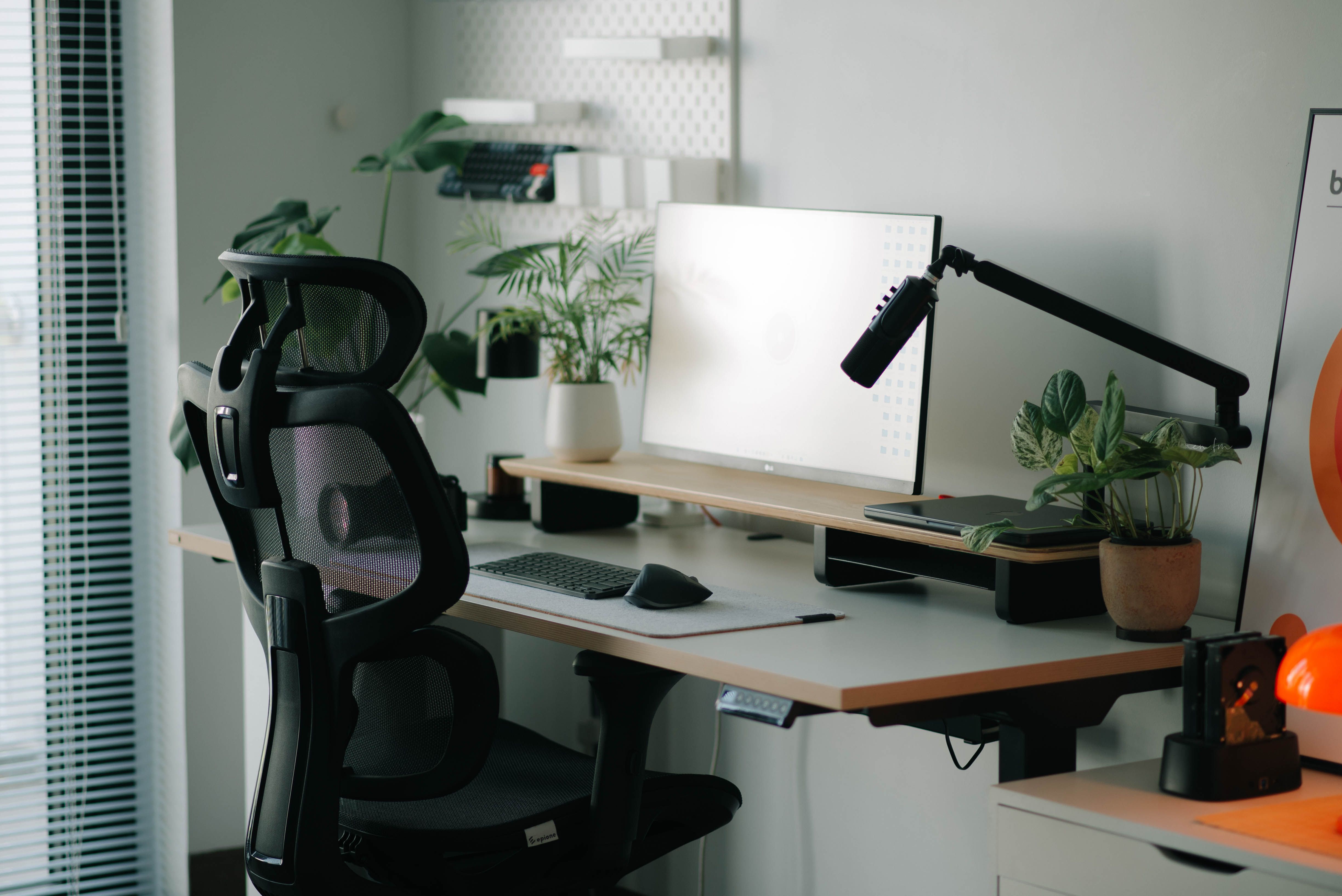
Monitor top should be at or just below eye level, 50–70cm from the face.
Chair height: feet flat on the floor, hips at 90–110°, lumbar curve supported.
Alternate between sitting and standing every 30–45 minutes to reduce spinal load.
The 20-20-20 rule: every 20 minutes, look at something 6 metres away for 20 seconds.
Laptop use without a separate keyboard and screen is the leading cause of neck pain in office workers.
The Hidden Cost of a Bad Desk Setup
Work-related musculoskeletal disorders (WRMSDs) are the most common occupational health problem in Europe, accounting for over 50% of all work-related ill-health cases according to the European Agency for Safety and Health at Work (EU-OSHA). The most affected areas are the neck, shoulders, upper limbs, and lower back — all directly linked to prolonged, poorly configured seated work.
The good news: the vast majority of these conditions are preventable with a correctly set up workstation. Ergonomics is not a luxury — it is applied biomechanics.
Chair and Posture: The Foundation
Your chair is the most important element of your workstation. An adjustable chair correctly configured reduces the compressive load on the lumbar discs, maintains the natural curvature of the spine, and prevents the progressive anterior pelvic tilt that leads to chronic low back pain.
- Seat height: feet flat on the floor (or a footrest), thighs approximately parallel to the ground, knees at 90–100°.
- Lumbar support: positioned to support the natural inward curve of the lower back (L3–L5 level).
- Seat depth: 5–10cm gap between the back of your knees and the seat edge to avoid pressure on the popliteal vessels.
- Armrests: at elbow height, allowing shoulders to stay relaxed — not elevated, not reaching.
- Recline: a slight recline (100–110°) reduces spinal disc pressure compared to a strict 90° upright position.
Monitor Position: The Golden Triangle
The eyes, screen, and document (if applicable) form a triangle that should require minimal head movement. Incorrect monitor positioning is the primary driver of cervicogenic headache and upper trapezius overload in office workers.
- Height: the top of the screen should be at or just below eye level. Looking down 15–20° is natural and reduces neck extensor strain.
- Distance: 50–70cm (roughly arm's length). Closer than this increases visual convergence demands; further away encourages leaning forward.
- Angle: screen tilted back 10–20° to allow natural gaze without excessive neck flexion.
- Brightness and contrast: match the ambient lighting in the room. A screen brighter than the surrounding environment accelerates visual fatigue.
- Dual monitors: position the primary screen directly in front, secondary screen adjacent — not at a significant angle, which forces sustained cervical rotation.
Keyboard, Mouse, and Upper Limb Positioning
Upper limb musculoskeletal disorders — including carpal tunnel syndrome, lateral epicondylalgia, and rotator cuff tendinopathy — are strongly associated with sustained awkward postures at the keyboard and mouse.
- Keyboard at elbow height, with forearms roughly parallel to the floor.
- Wrists in neutral position during typing — not flexed, not extended.
- Mouse close to the keyboard to avoid shoulder abduction.
- Consider a vertical mouse or trackball if you have a history of wrist or elbow symptoms.
- Keyboard tilt: slightly negative tilt (front higher than back) reduces wrist extension compared to the traditional angled position.
The Sit-Stand Principle
Sustained seated posture — even a perfectly configured one — increases intradiscal pressure by 40% compared to standing. Alternating between sitting and standing is now supported by strong evidence as a means of reducing lumbar disc load, improving lower limb circulation, and reducing fatigue.
Current recommendations: alternate every 30–45 minutes. Standing for more than 2 consecutive hours introduces its own risks (lower limb fatigue, varicose vein exacerbation), so the goal is movement variability, not simply replacing sitting with standing.
Movement is the best posture. No static position — however perfect — is sustainable for hours at a time.
The 20-20-20 Rule and Micro-Breaks
Digital eye strain (DES) affects an estimated 50–90% of computer users. The American Optometric Association recommends the 20-20-20 rule: every 20 minutes, look at something approximately 20 feet (6 metres) away for at least 20 seconds. This allows the ciliary muscle to relax from its sustained near-focus contraction.
Micro-breaks of 30–60 seconds every 20–30 minutes — standing, stretching the thoracic spine, performing shoulder rolls, or simply walking to the printer — have been shown to significantly reduce afternoon fatigue scores and self-reported musculoskeletal discomfort.
The Laptop Problem
Laptops are the single greatest ergonomic compromise in modern work. By design, they force a choice: either the screen is at the right height (requiring elevated arms) or the keyboard is at the right height (requiring the head to drop into neck flexion of 40–60°). There is no neutral position with a laptop alone.
Solution: treat the laptop as a desktop. Use an external keyboard and mouse, and raise the laptop screen to eye level with a stand or stack of books. This one change eliminates the vast majority of laptop-related neck and shoulder pain.
Scientific References
- 1.EU-OSHA. Work-related musculoskeletal disorders: prevalence, costs and demographics in the EU (2019)
- 2.NIOSH. Simple Solutions: Ergonomics for Computer Workstations — CDC
- 3.Côté P et al. (2008). The burden and determinants of neck pain in workers — European Spine Journal
- 4.American Optometric Association. Computer Vision Syndrome